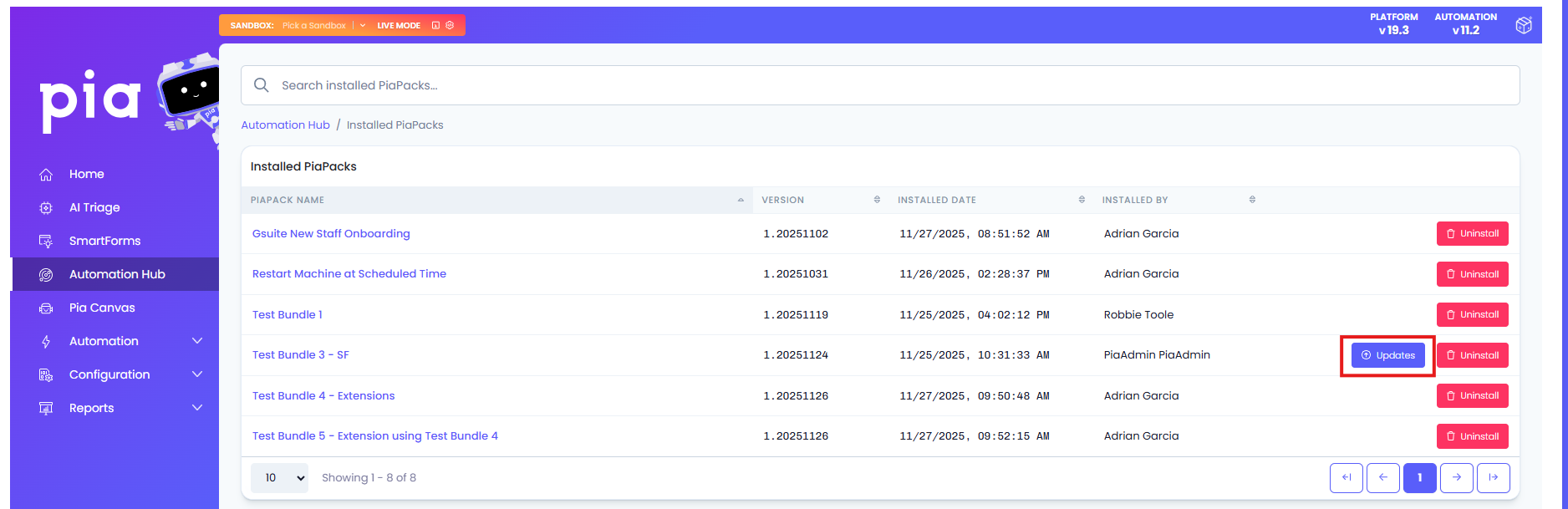
Updating a PiaPack
With the Automation Hub, you now have greater flexibility in how you manage updates. You can choose when to apply new versions based on your own schedule, and if needed, easily roll back to a previous version.
The new Pia Automation Hub update process will:
- Make the update process opt-in, allowing you to choose when and how updates are applied
- Provide control to revert to a previous version if issues arise with a newer release
- Include more detailed and specific release notes to improve transparency and decision-making
- Show changes in context by comparing updates to previous versions for better understanding
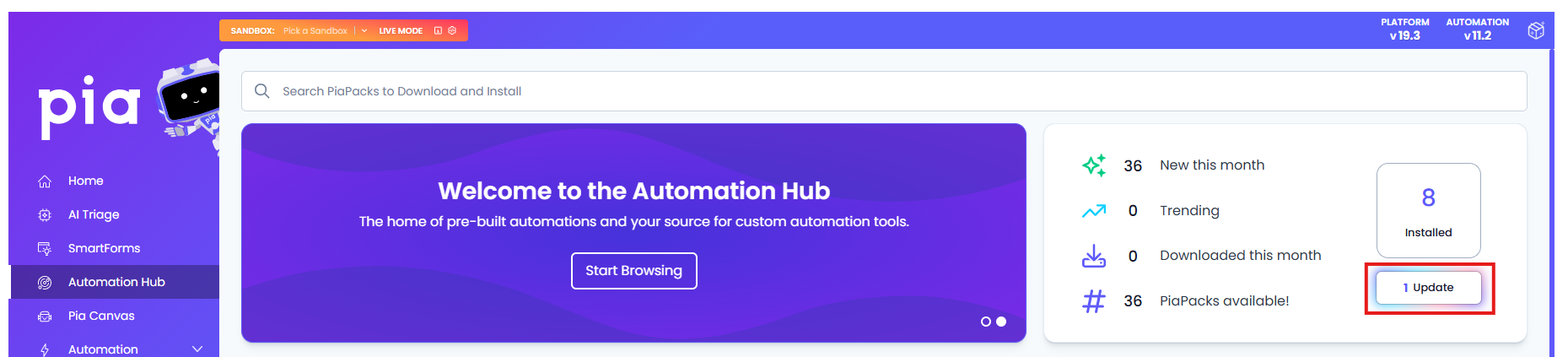
When updating a PiaPack, navigate to the top right section of the Automation Hub Home screen, click update on each PiaPack at your own convenience. The revert functionality can be found in the same location if you encounter any issue with the latest update.