ConnectWise Manage Pia Pods
There are two steps to enabling the Pia Pods inside ConnectWise Manage:
Step 1 - Grant access for your users to access 3rd party pods within tickets
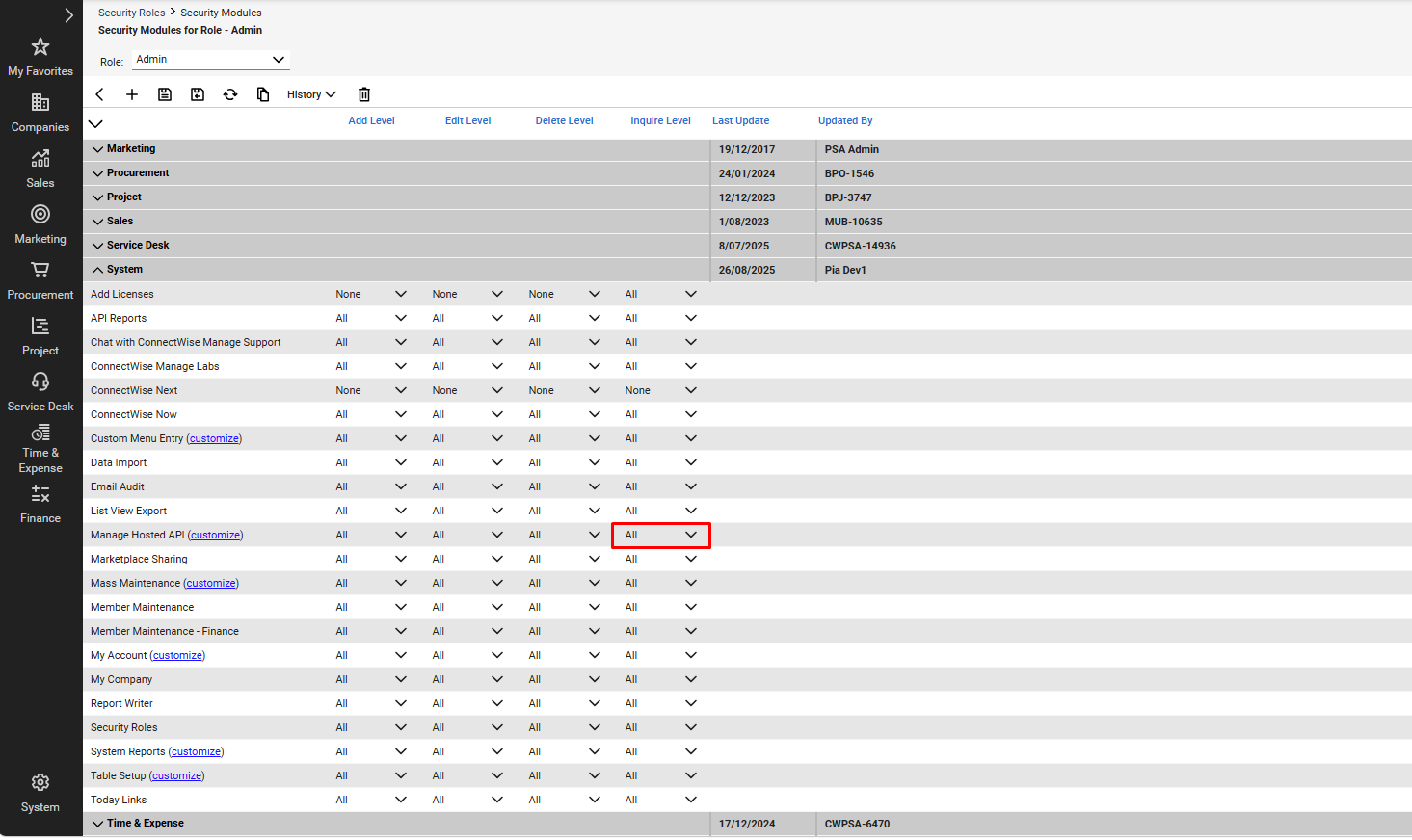
- Within the ConnectWise left hand menu, head to System > Security Roles
- Find all roles that may be relevant to your service desk staff
- For each role, ensure the following permission level has been enabled: (System > Manage Hosted API > Inquire Level:All)
Step 2 - Select the Pia Pod in Pod Configuration Settings to display it within your tickets
Please see the video below on how to select the Pia Pods inside ConnectWise Manage.