Ticket Workflow
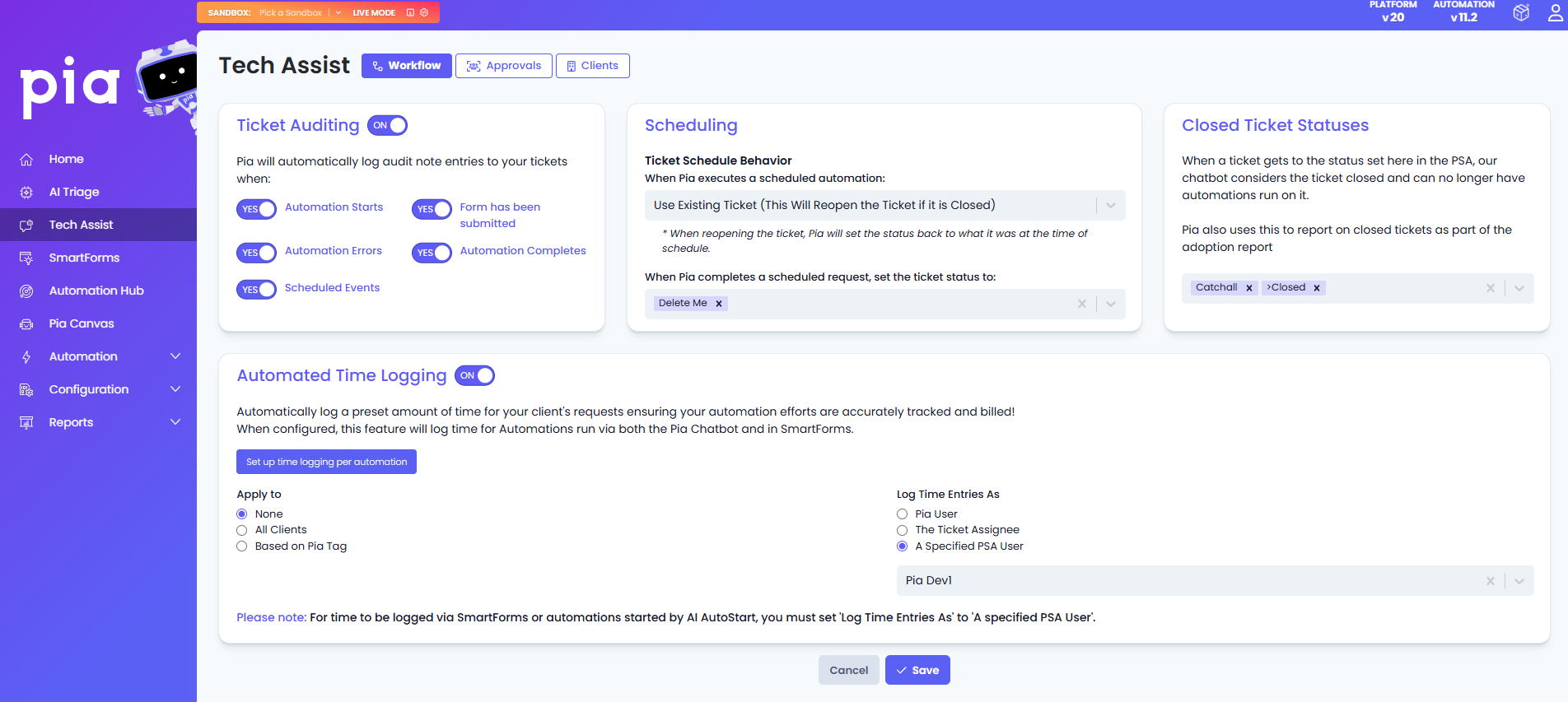
The Workflow tab within Tech Assist lets you control how Pia interacts with the tickets in your PSA. This also include requests that are submitted via SmartForms and later processed through Pia's chatbot. Several settings that were previously scattered across the portal have now been consolidated here, making it easier to manage and centralize all tech assist related configuration in one place.
Within the workflow tab, you can:
- Configure preset amount of time for your clients' requests ensuring your automation efforts are accurately tracked and billed using Automated Time Logging.
- Enable Ticket auditing for automations and configure the level of audit log notes added to the ticket using Ticket Auditing.
- Define the status that a scheduled ticket should move to once its automation has completed and the bundling behaviour of the scheduled tickets using Ticket Scheduling.
- Define the PSA status that signals to Pia’s chatbot that the ticket is closed and should no longer run any automations using the Ticket Settings option.