⬆️ We expect most of the rollout to be completed by first week of August. There’s no need to refresh your Pia tenant, you’ll automatically receive an email with the Release Notes as soon as the latest version becomes available to you.
Enhancements 🌟
Turn Ideas into Automations with AI Automation Builder
Have an automation idea but not sure where to begin?
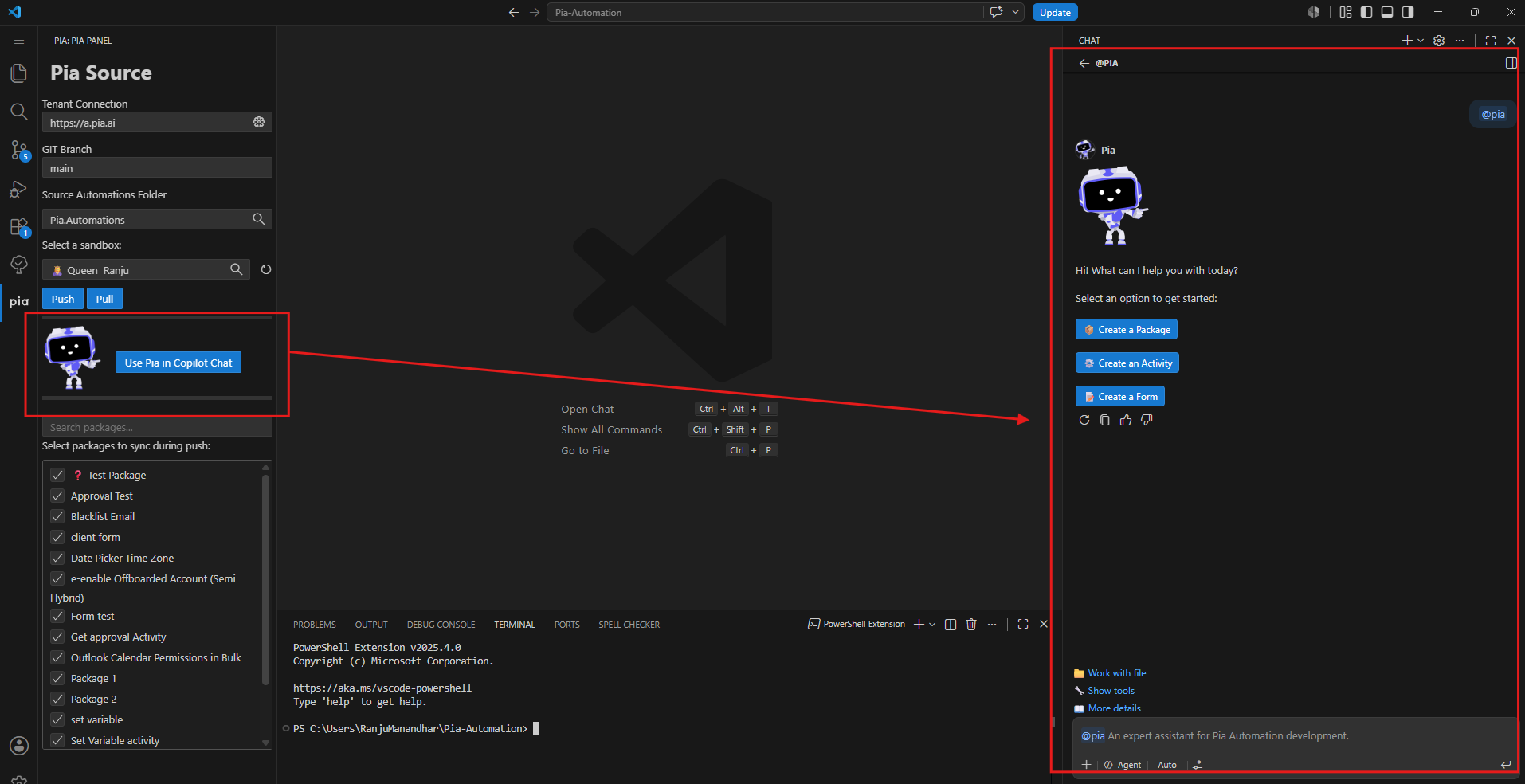
Following the introduction of Pia Source in Platform 20, we're excited to launch the AI Automation Builder. Integrated directly into the VS Code extension, the new Pia Bot can generate automations, activities, and forms from simple natural language descriptions.
Beyond code generation, the AI Automation Builder performs self-verification to validate generated solutions and analyzes your repository to reuse existing assets, avoid duplication and provide contextual recommendations. This helps accelerate development while maintaining consistency across your automations.
AI Automation Builder combines AI-powered automation creation with the value of your existing automation assets, making it easier to design, build, and scale automations within your VS Code.
For more information on this feature, click here.
New API Endpoints to support your unique workflows
Building on the New API introduced in Platform 20, this release adds a range of new endpoints designed to provide greater flexibility around automation and configuration.
Automate
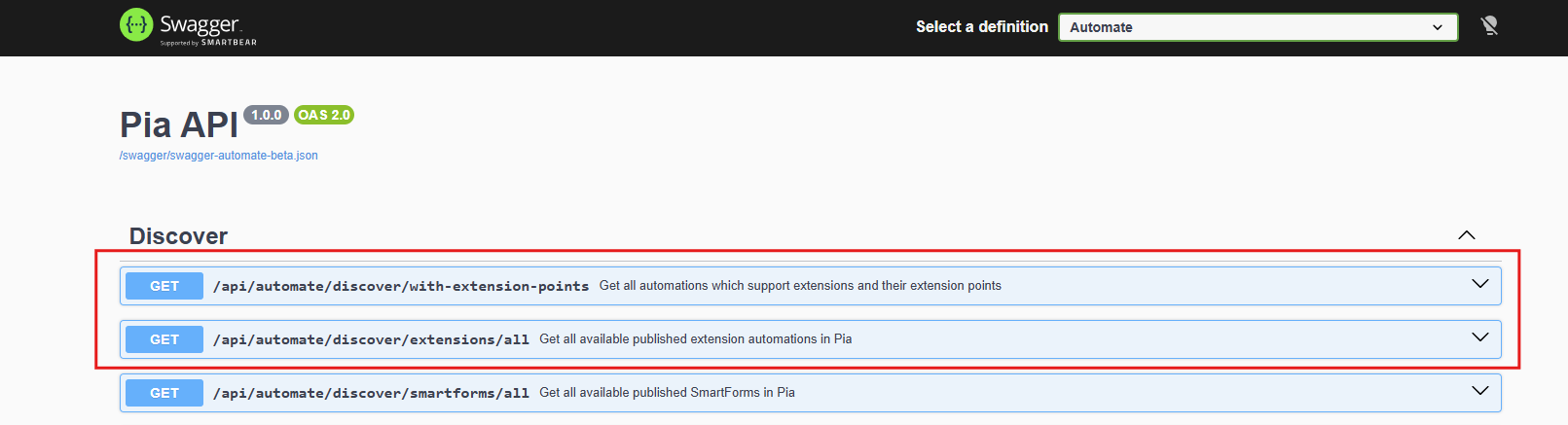
Two new endpoints under the Discover section allowing you to:
- Get all automations which support extensions and their extension points
- Get all available published extension automations in Pia
Build
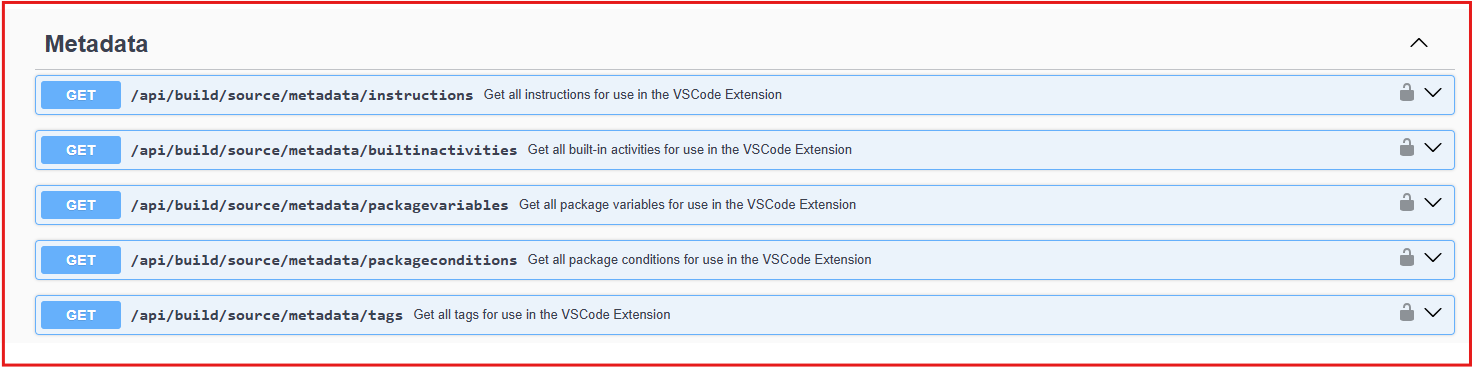
Five new endpoints have been added under Metadata that allow you to:
- Get all instructions for use in the VSCode Extension
- Get all built-in activities for use in the VSCode Extension
- Get all package variables for use in the VSCode Extension
- Get all package conditions for use in the VSCode Extension
- Get all tags for use in the VSCode Extension
Configure
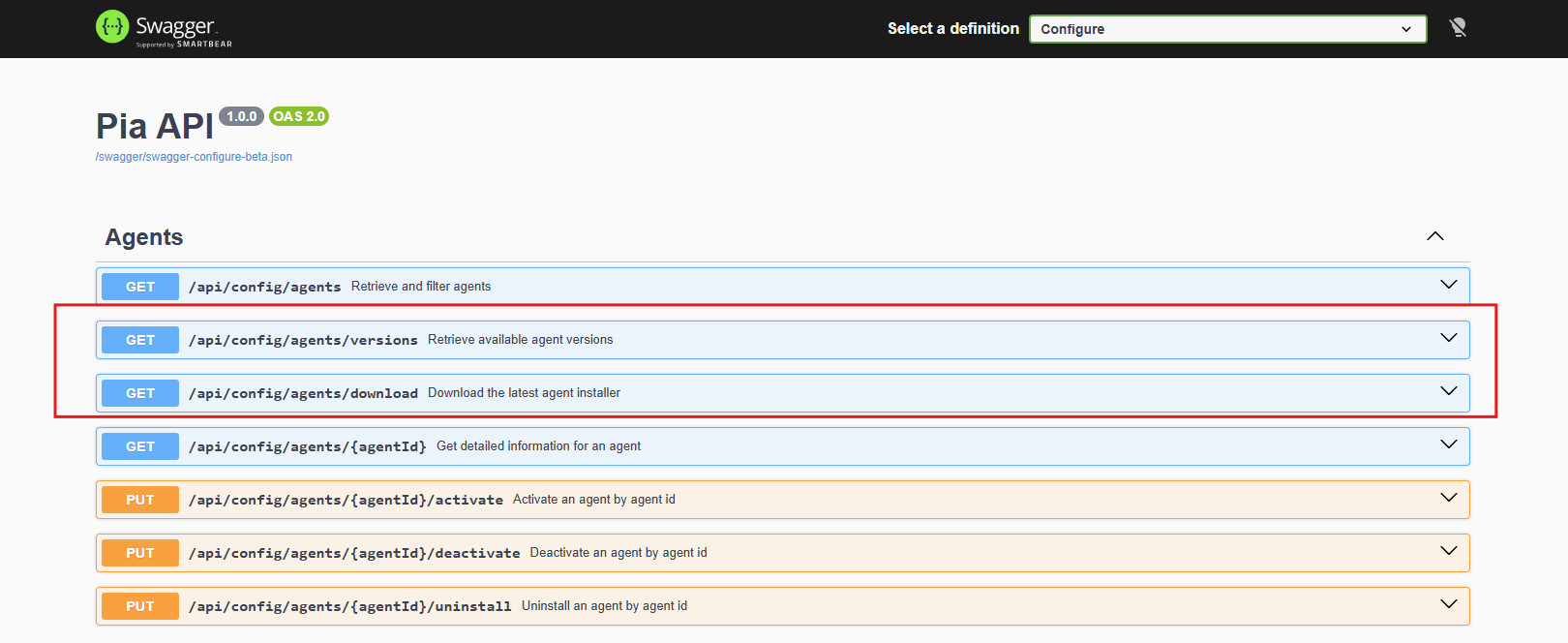
Two New endpoints have been added under Agents that allow you to:
- Retrieve available agent versions
- Download the latest agent installer
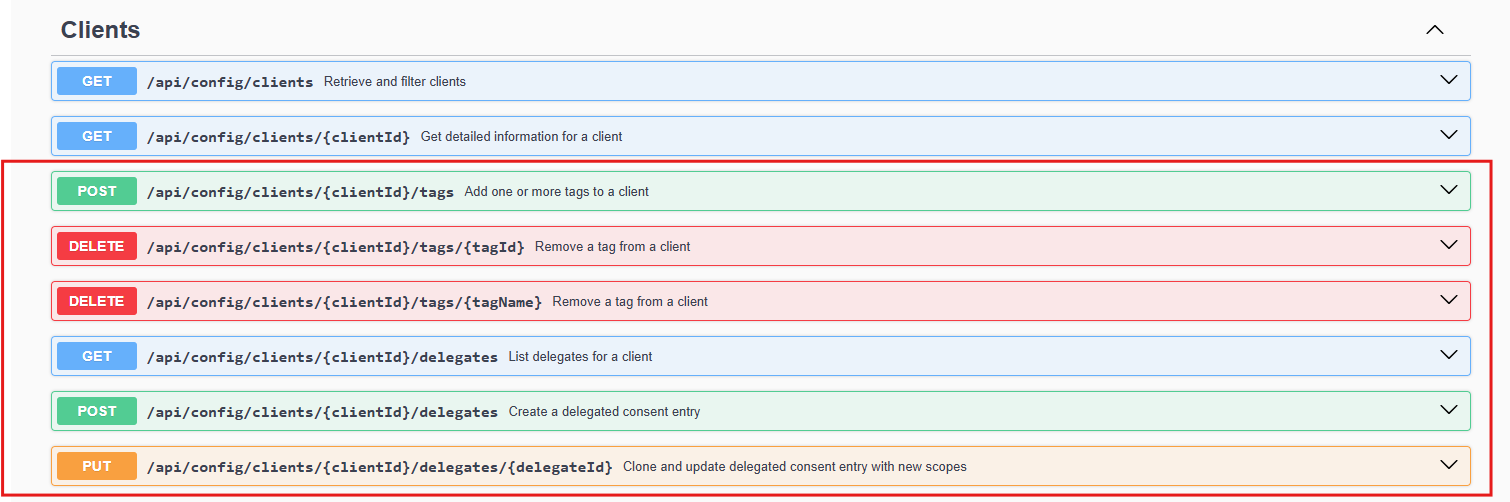
Six new endpoints have been added under Clients allowing you to:
- Add one or more tags to a client
- Remove a tag from a client with Tag Id
- Remove a tag from a client with Tag Name
- List delegates for a client
- Create a delegated consent entry
- Clone and Update delegated consent entry with new scopes
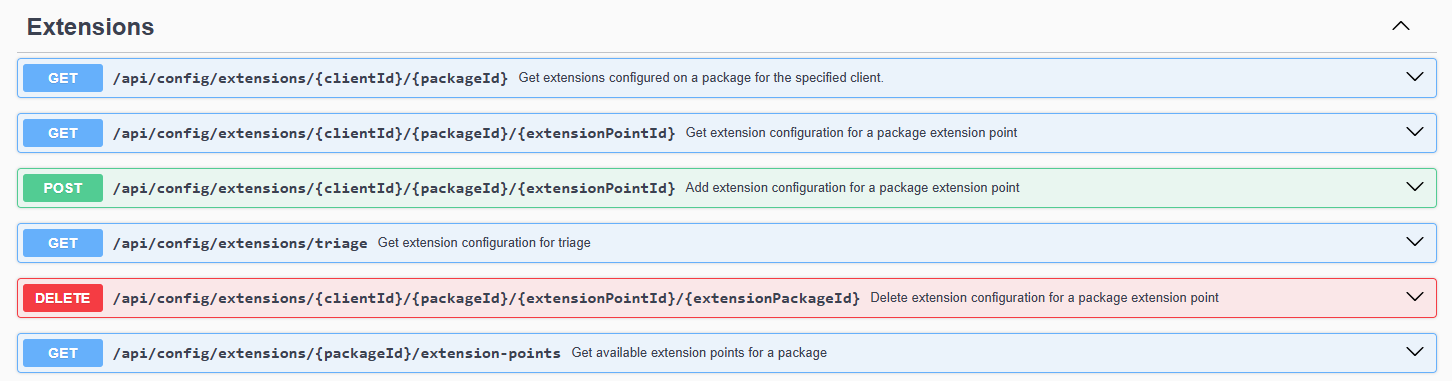
Six new endpoints have been added under Extensions allowing you to:
- Get extensions configured on a package for the specified client.
- Get extension configuration for a package extension point
- Add extension configuration for a package extension point
- Get extension configuration for triage
- Delete extension configuration for a package extension point
- Get available extension points for a package
Four new endpoints have been added under Integrations allowing you to:
- Get configured Integrations
- Get detailed information for a configured Integration
- Get detailed configuration information for an Integration
- Get detailed client configuration information for a configured Integration

Two new endpoints have been added under Tags allowing you to:
- Get available client tags
- Get available agent tags

To see all the available API endpoints, access these swagger docs here: Build, Automate and Configure.
Additional Changes
- Updated the automation execution process to improve performance and efficiency when passing data between parent and child automations. This enhancement reduces unnecessary data processing and helps optimize automation execution especially for nested and scheduled automations. (#29185)
Bug Fixes 🐛
- Fixed an edge case where the Ticket Chat tab in the Tech Assist pod was not working for a Partner. (#32802)
- Resolved an issue where Pia Chat was asking an excessive number of questions before assisting users with ticket creation. Pia Chat now asks a maximum of three questions before proceeding to log a ticket. (#32809)
- Fixed an issue for a Partner where the AI Resolution Assistant within Pia Chat was unresponsive. (#32850)
- Resolved an issue for a Partner where the Ticket Chat tab within the Tech Assist Pod Pia was not working. (#32802)
Your feedback matters to us! 💜
🛠️ We're here to address any issues or suggestions you have, just drop us a line at partner-support@pia.ai for assistance.
💡 Got ideas to enhance Pia aiDesk? Share them at ideas.pia.ai and shape the future of Pia aiDesk!
⚙️ Ready to supercharge your automation journey?
Your Partner Success Manager is your go-to person.
Reach out to them to explore custom automation possibilities and optimize your journey with Pia aiDesk.
Let's make AI and automation magic together! 🚀