What's New ๐ŸŒŸโ€‹

We are pleased to share our latest platform release RC12!

Our primary focus in this release has been setting up more foundations for SmartForms, you will see few mentions of functionalities relating to SmartForms below.

We have also made some enhancements and important bug fixes which are mentioned below:

  • 3 New CSP Integrations! โš’๏ธ

  • Live Packages Screen Enhancements

    • Added Ticket Filter option in the Live Package Screen
    • Added Source Filter option in the Live Package Screen
    • Extension automation now display as a nested log under the primary package
  • Additional Enhancements ๐ŸŒŸ

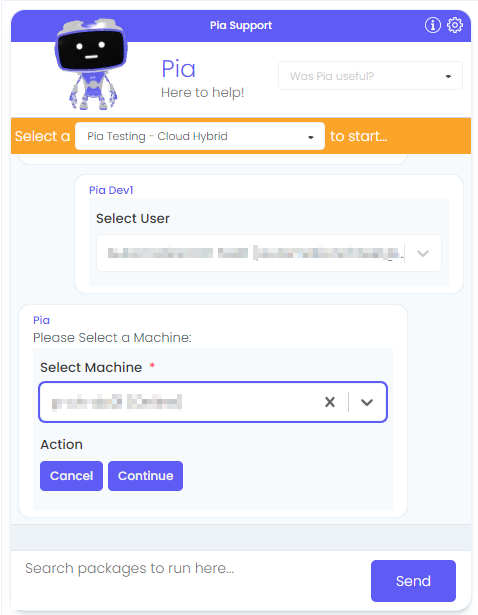
    • Updated Feedback options in the Pia Chatbot
    • New Activity and Condition have been added to support the SmartForms feature. More information will be available on the full release of SmartForms.
  • 5 Bug Fixes ๐Ÿ›

See below for further details.

As always, We're here to help โ€” reach out to Partner Support whenever you need assistance.

What is SmartForms?โ€‹

As an MSP, your clients will often submit tickets by emailing or calling your Service Desk. With Pia SmartForms, you can give your clients a consistent experience by prompting your clients with the questions that you need answered to fulfill their IT request.

The primary goal is to enhance the precision of data gathering and end-to-end automation of IT requests. This has the effect of removing the double handling of information and back and forth between your engineers and your client.

๐Ÿ”ฅ A Sneak Peek into SmartFormsโ€‹

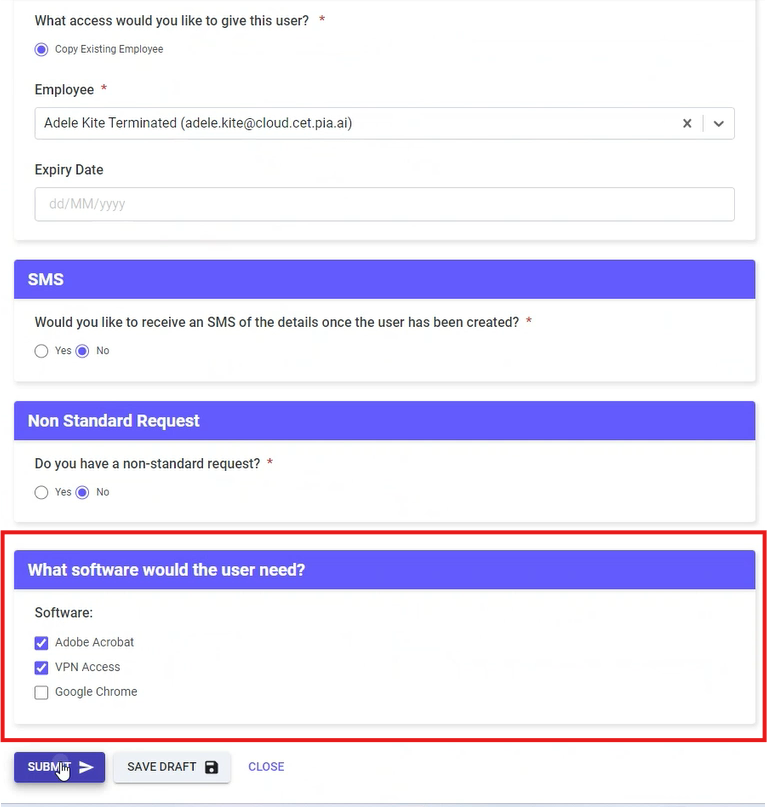
Here's what your client will see in the SmartForms Portal depending on what you turn on:

Note

You can customise this page using the white labelling options.

More Questions?

For more information on SmartForms, please speak to your Partner Success Manager.

๐Ÿ”† Live Packages Screen Enhancementsโ€‹

Added 'Ticket Id' Filter option in the Live Package Screenโ€‹

A new filter has been added in the Live Package screen allowing you to filter live Packages using the Ticket Id. This section is called "Filter Ticket ID" and can be used by typing your ticket Id.

If you are searching for a particular ticket in the Live Packages view, this will make it easier as it will save time. (#15511)

Added 'Source' filter option in the Live Package Screenโ€‹

One more filter has been added in the Live Package screen allowing you to filter the packages based on the source of the package execution.

By default, the 'Source' filter will have "Pia Chatbot" selected which will filter all the packages that were executed in the Pia Chatbot. However, you can choose from additional options to filter your package based on different sources such as Schedules or Triage (Ticketing System). (#22064)

Function Packages now display as a Nested log in Live Packages Screenโ€‹

Previously, the extension packages were displayed as a separate log when viewed in the live packages screen. This has now been changed so that they are displayed under the primary package as nested log making it clear that the extension package is running within the primary package. (#22062)

๐ŸŒŸ Additional Enhancementsโ€‹

Updated Feedback Options in the Pia Chatbotโ€‹

The options available in the feedback drop-down of the Pia Chatbot have now been modified. The reason behind this is that we have taken a new approach to how we do machine learning making use of larger sets of data generated through AI.

If you would still like us to work with you on improving the ML on your tenant, please work with your PSM to give us good and bad examples of tickets that we are classifying for you.

These are the feedback options that are now available in the Pia chatbot:

  • Pia was a good bot
  • Pia had an issue during my ticket
  • Other Feedback (#22151)

โš’๏ธ 3 New CSP Integrationsโ€‹

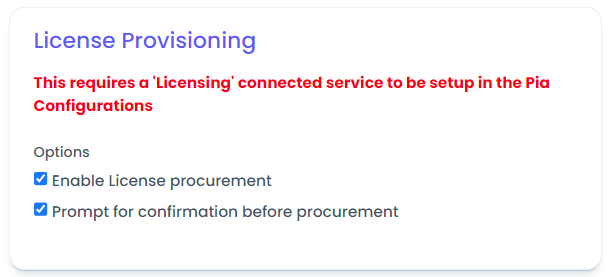
With this release, Pia will extend its support for more Licensing services. The configuration options for each of them will be available in the connected service screen of the Pia Partner Portal.

  1. Rhipe CSP Integration (#7498)
  2. Dickerdata Integration (#7499)
  3. Ingrammicro Integration (#8177)
Note

As with all Platform Releases, this is setting up connected service and the above integrations are available for custom automations for now. We will be updating the Pia New User and Pia Terminate User to fully automate the provisioning and deprovisioning of user licenses as a part of User Onboarding and User offboarding

๐Ÿ› Bug Fixesโ€‹

  1. The 'Client' Filter in the client screen did not allow ampersand symbol "&" previously. This has now been modified so that you can now use the filter to search for clients that have '&' in their name. (#22107)
  2. Fixed an edge case scenario where the data was not populating in flexible assets as the IT Glue Connected Service was having an issue with the sync. (#21919)
  3. Previously, the Triage package failed when it was executed against the ticket for clients that are not synchronised into Pia from your ticketing system. This is now handled gracefully. (#21834)
  4. The Ticket Audit Note was not reflecting in the ConnectWise Manage Ticket for a custom built package which has now been fixed in this release. (#22203)

We are excited to announce our RFC271 release, introducing new and improved automations alongside some important fixes.

More Extension Points ! ๐ŸŒŸโ€‹

We have added more extension points in some of your favourite automation packages (i.e. New User package, Terminate User package and Reset Network Password package) allowing you to create and link more extensions into these packages. (#21889)

Below are the areas the packages will now have extension points available:

Package NameExtension Points
New User Package
  • Start of the Package
  • Before New User is created
  • End of the Package
  • Terminate User Package
  • Start of the Package
  • After the Terminate User form is submitted
  • End of the Package
  • Reset Network Password Package
  • After the user is selected
  • For more information on Extension Points, refer to this article.

    Added Support for the Lastest version of Azure AD Connect Cloud Syncโ€‹

    We have extended our support to the latest version of Azure AD Connect Cloud Sync enabling you to use Pia for clients that are on the latest version.

    What do I need to do to use Cloud sync?โ€‹

    • You need to re-authorise and re-delegate the client that you want to use Cloud Sync on because we have added a new scope which requires your client to do this.
    • if you have not already filled this out, you need to add the Cloud Sync server to the Global Config Form. This may already be filled out if you were previously using AD Sync. (#18226)

    Additional Functionalities in Get User Details Packageโ€‹

    The Get User Details (All Environments) Package has been updated to retrieve additional information about the user which are:

    • Locked out status
    • Password expiry status
    • Enabled/Disabled status

    Based on the status for each of the fields above, the package will then suggest additional actions that you can perform to change the status eliminating the need for you to manually search for a package which will perform the required action. (#9974)

    New Bulk Add/Remove users to Group Package to support Semi Hybrid Environmentโ€‹

    A new version of the Bulk Add/Remove users to Group package has now been created to support semi hybrid environment so you can now run the package for the clients that are on semi hybrid environment. (#15146)

    Improved Performance for New user Packageโ€‹

    Performance improvements should now be noticeable when executing the New User(All Environments) package in your Pia chatbot. (#22003, #22140)

    Added Description Field to multiple packagesโ€‹

    A description field has been added to Terminate User, Re-enable terminated User and Change User Details packages allowing you to store and view custom information about the user for whom the action is being performed.

    This feature is ON by default for Change User Details Package. For Terminate User and Re-enable Terminated User Packages, this is OFF by default. (#21826)

    Additional Package Enhancementsโ€‹

    1. The Bulk Update User Details (Cloud Only & Cloud Hybrid) Package Form has been added with validation rules in the First Name, Last Name and Mobile Number fields to eliminate typos and validation errors. (#14018)
    2. The New User (All Environments) Package has been added with one more configuration option called "Enable Default Password Never Expires" which when ticked will force the 'Set the password to never expire' to be ticked when creating a new user. You can Opt In this feature in the Package Configuration Form. (#8749)
    3. The New User (All Environments) Package form has been modified so that you are now able to customise the email address to be different to the UPN of the use you are creating if the suggested email does not match your company policy. You can Opt In this feature in the Package Configuration Form. (#21708)
    4. The Reset Network Password (Cloud Hybrid) Package has now been updated allowing you to set a default password. You can Opt In this feature in the Package Configuration Form. (#15004)
    5. The Setup Mail Forwarding (Cloud Only & Cloud Hybrid) Package has now been renamed to Setup/Remove Mail Forwarding to correctly indicate the actions that can be performed through the package. (#9082)
    6. The Terminate User (Cloud Only & Cloud Hybrid) Package has now been updated to force Sign out the user from their account in azure and force disable the user in azure upon termination. (#22180)
    7. A handful of packages has been promoted to full release and the beta tag has been removed. (#21355)
    8. We have increased the number of suggestions after each package executions based off common patterns of how they are used. Your automation will now finish before you are suggested with the automation options which means the suggestions will not affect the completion of your automation. (#12522)

    ๐Ÿ› Bug Fixesโ€‹

    1. The Bulk Update User Details Package displayed UPN which was not required. This can been modified to only show relevant form fields. (#19771)
    2. Changed the Chat Message Option from "Done" to "None" when Pia asks if you would like to perform any other action with the user after the original package execution is complete. (#18371)
    3. The Create Shared Mailbox (Cloud Only) Package was sending incorrect values for display name which has now been amended. (#21867)
    4. The Delete Mail Contacts (Cloud Only) Package had a clerical error denoting the wrong action which has now been fixed. (#21262)
    5. The New User (All Environment) Package was waiting for the license even if the "Enable wait for group based license" option was not ticked. This has been fixed now so that the package behaves correctly as per the option selected/unselected. (#22261)
    6. The New User (All Environments) Package was not updating the job title of the CW contacts. This has now been fixed so that the package now updates additional properties of a CW contact. (#22067)
    7. The New User (All Environment) Package was not populating the Teams Phone with Phone Calling Plan licenss in the list of available license which has now been updated to consider the license. (#21720)
    8. The New User (Cloud Hybrid) Package was having a validation issue in the form which has now been fixed to allow the users to be created with only one character in the Last Name field. (#18879)
    9. The New User (Cloud Hybrid) Package was failing to create users due to an edge case scenario which has now been fixed. (#22130)
    10. The New User (Cloud Hybrid) Package displayed negative license count. This behavior has now been modified to only display licenses with count above 0. (#22144)
    11. The New User (Cloud Only) Package was not able to create a New User as the "Company Name" was longer than the defined limit. Updated the character limit in the form so that the package can accept longer names. (#19805)
    12. The New User (Prem Only) package was failing due to the presence of extra grave (`) accent characters within the filter block. This has now been fixed. (#21974)
    13. The OpenVPN Setup/Reinstall Package errored when configuring the end user's PC which has now been fixed. (#22289)
    14. The Reset Network Password (Cloud Only) Package option "Change Password at next logon" was not working as the users were having to reset their password upon attempting to login in some cases. This has now been fixed so that if the option is not selected, the password is reset instantly. (#21319)
    15. The Teams Troubleshooter Package was failing if the Teams cache could not cleared. This behaviour has now been modified so that the engineer will get a message in the chat if the Teams cache could not be cleared and also will get option to Force shut down Teams. (#18791)
    16. The Terminate User (Semi-Hybrid) Package was not providing a list of OUs to move the terminated user to. This has now been fixed so that the package now displays a list of available OUs where the user can be moved upon termination. (#21604, #19268)
    17. The Terminate User (Semi Hybrid) Package was only disabling Azure Account skipping the DC Account in some cases which has now been fixed to disable account is both areas. (#21915)
    18. The Triage Package was not firing the tickets and assigning an engineer to the tickets due to an edge case scenario which has now been fixed. (#22166, #21513)
    19. The Win10 Install Network Printer Package was erroring if the required information for the printer was not available. This has been modified to take into account additional information which can be used by the package alternatively. (#21281)
    20. The Win10 Printer Troubleshooting Package was failing when no printers were found for the user. An error handling has been added so that a message is displayed in the chat advising the engineer that no printers are found. (#22276)

    What's New ๐ŸŒŸโ€‹

    We're pleased to share our latest platform release RC11!

    In this release, we have laid the groundwork for Smartforms along with the following changes:

    • 5 Enhancements ๐Ÿ’ก
      • Added Pax8 CSP Integration
      • Performance Enhancements
      • Added SharePoint Graph API Permissions
      • Added Azure Cloud Sync Graph API Permissions
      • Updated Partner Portal Menu layout
    • 10 Bug Fixes ๐Ÿ› ๏ธ

    See below for further details.

    As always, We're here to help โ€” reach out to Partner Support whenever you need assistance.

    ๐Ÿ”ฅ Enhancementsโ€‹

    Added Pax8 CSP Integrationโ€‹

    With this release, we have created support for our first CSP integration!

    Pia now offers integration with Pax8, enabling you to meet your licensing needs through Pax8. You can now set up a Connected Service for Pax8 within the Connected Services screen of your Pia portal. This allows you to make use of it as part of Extension Automations and Custom Automations.

    Pia will be updating over the next month or so it's existing automations (New User and Terminate User) to increment and decrement licensing as part of those processes. We will also be adding a new Automation for Managing Licensing via Pia.

    To learn more on configuring the connected service for Pax8, refer to this article.

    Performance Enhancementsโ€‹

    Performance improvements should be noticeable in the following areas across Pia:

    • Client Screen
    • Package Editor Screen
    • Pia Chatbot Screen
    • Pia ConnectWise Embed/Chatbot Screen
    • Pia Package Execution (#21233, #20793, #20794, #20795 and #20796)

    Added SharePoint Graph API Permissionsโ€‹

    SharePoint support has been added via the ability to reauthorise your client with an increased scope covering SharePoint which will allow you to write custom automations that connect to SharePoint to perform actions (#19878)

    Added Azure Cloud Sync Graph API Permissionsโ€‹

    Azure Cloud Sync permissions have now been added in preparation for Pia to roll out support for Cloud Sync in place of Azure AD Connect for Pia's AI Desk automations (#19478)

    Updated the Pia Partner Portal Menu Layoutโ€‹

    We have updated the Partner Portal Menu to be more condensed. This allows us to free up some space in the menu as well as make the menu options easier to find (#18016)

    ๐Ÿ› Bug Fixesโ€‹

    Here are the bug fixes in this release:

    Adoption Report Fixโ€‹

    1. Tickets from 2021/2022 are coming up in the adoption report: Applied changes to make sure not to update the ReportingDate in the training record if the ticket lastmodified date is older than 90 days by default. The value can be controlled using the settings.(#21183).

    Other Fixesโ€‹

    1. An asterisk (*) is displayed on the activity while switching from one activity to another after discarding the changes made in the first activity. (#19516).
    2. In the Agent Screen sorting via LastCheckInDate was not working previously. This has now been fixed. (#21272)
    3. Live Packages: Width change should resize the package list. (#21780)
    4. Live Packages Screen: fixed ordering of the logs in live packages view. (#21783)
    5. Added some more robustness to the way that we handle Microsoft App Registrations/Authorisations to ensure that they auto renew more regularly and that the authorisation only expire when the password is changed on the account. (#19438)
    6. When Authorising clients, there were a couple of scenarios that would cause the page to look like it was consistently loading meaning it looked like the Authorisation has failed or always in progress. We have updated to have some Refresh steps and retry loops which we would expect you to be able to authorise clients with one interaction now. (#21233, #21154)
    7. Updated the scopes to allow cloud sync to be used as a part of the Pia automations. Like with most updates, we will update the Pia automations to take advantage of the updates on the scopes in the coming month. (#19478)
    8. Fixed an edge case where an IT Glue link was not working for a client as there was an extra space in ConnectWise Connected Service. (#21462)

    We are excited to announce our RFC308 release, introducing new and improved automations alongside some important fixes.

    In this release, we have focused on improving the Pia: New User package with added functionalities and several bug fixes.

    ๐Ÿ”ฅ New User Automation Changesโ€‹

    Here are the new functionalities you will come across when running your New User Package:

    Display name formatting Optionsโ€‹

    Display name format is now an option when configuring the New User automation - you can change the default display name generated during new user creation (you can still modify the display name during the confirmation step during the new user creation process). (#21710)

    Ticket Audit Log Note Options for Passwordโ€‹

    An option has been added to the New User package configuration to allow the password for the new user to be written onto the ticket audit log during new user creation (note, this is turned OFF by default) (#21706)

    New User Description Fieldโ€‹

    The user description field has been added, you can now optionally fill this field in when creating a new user. (#21695)

    ๐Ÿ› Bug Fixesโ€‹

    New User Fixesโ€‹

    1. When creating a user with more than 1 first name, the display name generated would trim the space in between the two first names. This has been fixed. (#21709)
    2. Hyphens were being stripped when the proposed display name and username was being generated. This has been resolved, hyphens are no longer stripped. (#21707)
    3. When selecting a user to copy, the OU was not being copied into the OU selection field on the user confirmation form. (#21721)
    4. The package was only reading the first item in scenarios where the AD Forest had multiple domains, this has been fixed now so that the package can now identify the correct domain. (#20800)
    5. Fixed an issue with New User (On-Prem) when copying a user, the groups were not being presented as selected in the confirmation form. (#20819)
    6. The New User (Semi Hybrid) package has been updated to take into account licenses that have warnings in the 365 license portal when retrieving the number of available licenses. (#21073)
    7. Added an option in the access level drop-down to handle errors when there are no access level present in the New User configuration. This was for the New User (Semi Hybrid)package. (#21609)

    Other Fixesโ€‹

    1. The Pia: Account Locked Out package was failing to unlock the user account in certain edge case scenarios, which has now been fixed. (#20834)
    2. The Pia: Bulk Add User to Groups package had duplicate items appearing in dropdown due to on-prem groups value being different to the cloud only groups. This has now been fixed. (#21697)
    3. The Pia: Bulk Update User Details package will now create contact for a user if there no existing contact found in the ticketing system. (#20806)
    4. The Pia: Create Mail Contacts package has now been updated to allow whitespace which the package will automatically trim while creating contacts. (#21350)
    5. The Pia: Create Shared Mailbox Package has been modified to automatically trim spaces at the beginning and end of the Display Name so that the package does not error when you use a display name with a space at the end. (#18412)
    6. The Pia: Win10 Install network Printer package was having an issue caused due to insufficient permissions when installing the driver or certain printer functions which has now been fixed. (#19730)
    7. The Pia: Win10 Install network Printer package was having an issues caused due to insufficient permissions when installing the driver or certain printer functions, this will now try different escalating permission levels. (#19812)
    8. The Pia: Recover Lost Folder in Outlook package was failing to obtain information from Outlook in certain edge case scenarios. Additional checks and error handling have been added to the automation to ensure that the package does not fail. (#20569)
    9. The Pia: Release Quarantined Emails package now also finds the emails that have the status "release requested". (#21277)
    10. The Pia: Re-enable Terminated Account package has now been updated to hide the warning messages in the chat once the correct step has been selected. (#20917)
    11. The Pia: Re-enable Terminated Account (Cloud Only) package was failing to convert user mailbox if the mailbox was not a shared mailbox and had already been converted to a user mailbox outside of Pia. This has now been fixed. (#21798)
    12. The Pia: Setup Mail Forwarding package has been updated so that duplicate messages have been removed from the ticket auditing notes written by Pia. (#21213)
    13. The Pia: Terminate User (Semi-Hybrid) package was updated with a task to disable ConnectWise contact after disabling Azure Users. (#21628)
    14. The Pia: Terminate User (Semi-Hybrid) package now allows the user to add pre-termination manual tasks in the package configuration. (#21501)

    As always, your feedback matters to us! Please share your thoughts at ideas.pia.ai.

    What's New ๐ŸŽฏโ€‹

    We're pleased to share our latest updates; including performance improvements, and key feature additions. As always, contact our Partner Support for any assistance required.

    • Update on Pia Agent Service ๐Ÿ”ฅ
      • Updated the security of the Agent
      • Enabled alternate communication pathways for Agents struggling to talk back to Pia
    • 5 Bug Fixes ๐Ÿ› ๏ธ
      • Autotask Adoption Report Reliability

    See below for further details.

    Remember, our team is here to help you make the most of these new improvements and features!

    ๐Ÿ”ฅ Pia Agent Updatesโ€‹


    We have released a new Pia Agent Version!

    VersionDescriptionRelease Date
    1.0.20230202.41N-1 Supported Version (Prior Release)2023-Feb-02
    1.0.20230801.19Latest Release - Supported Version2023-Aug-01

    What does it contain?โ€‹

    • A security patch for "Unquoted Service Path" vulnerability. This vulnerability affects services on windows and can allow privilege escalation for a windows service who's executable path does not contain "double quotes" at the start and end of the path. This would allow an attacker to escalate their privileges to system level access for a single device. Note: an attacker would already need administrator level access on a device to perform this attack.
    • A stability patch for some scenarios whereby outbound connections to Azure services for WebSocket connections fail to establish. This allows additional configuration which may be applied to troubleshoot connectivity issues with the Pia Agent (specifically, configuration of MQTT and AMQP protocols).
      • We have released a new article for Agent Troubleshooting on the Learn portal here

    How do I update my endpoints?โ€‹

    The Pia agent has a self-updating mechanism which automatically updates all existing installed agents to the latest version (including agents which are installed from an old installer).

    You may have noticed this update has already occurred for many of your agents (which you can check via the agents screen in the Pia Partner Portal) - the updates will occur in batches of 25 every 5 minutes.

    However - over time, we will block older versions of the installer from registering onto your Pia Tenant, so you must keep your installer up to date.


    What do I need to do?โ€‹

    As most Pia Partners are using their RMM to install the Pia Agent on newly registered devices, you should make sure your RMM scripts reference the latest version of the agent.

    If you are using the following URL in your RMM scripts, then you do not need to do/change anything:

    However, if you are hosting a copy of the agent installer for yourself, you will need to replace the agent installer file with the latest version which can be downloaded from your tenant via the "Download" button in the Pia Partner Portal.

    For more information about where this installer link is used in your RMM and how to update it, RMM specific instructions are provided below:

    ConnectWise Automate Kaseya RMM Datto RMM Other (N Central, Ninja, etc.)

    ๐Ÿ› Bug Fixesโ€‹

    Here are the bug fixes in this release:

    Adoption Report Fixโ€‹

    1. Webhook Not Reliable in Autotask: Added a maintenance task that would try to update the closed date of the tickets that were not marked as closed in our training record but were already closed in the target ticketing system(#20014).

    Other Fixesโ€‹

    1. Client sync not occurring and multiple fields on the Connected Service for Ticketing system show incorrect information: (#21674).
    2. Canvas not emailing ticket contact when adding note: (#20955).
    3. PopulateOds Error Due to > 40chars on Status: (#21600).
    4. Conditional Form Logic - Shown when should be hidden: (#21394).

    What's New ๐ŸŽฏโ€‹

    Please find a summary of our latest updates, including enhancements, performance improvements, and bug fixes. As always, contact our Partner Support for any assistance required.

    • 6 Enhancements ๐Ÿ’ก
    • 5 Adoption Reporting Fixes ๐Ÿ“Š
    • 8 Other Bug Fixes ๐Ÿ› ๏ธ

    Remember, our team is here to help you make the most of these new improvements and features!

    Version#: 1.0.20230715.9

    ๐Ÿ”ฅ Enhancementsโ€‹


    ๐Ÿ“’ Ticket Note Audit Log Customisation Optionsโ€‹

    We've introduced a new set of configuration switches for the Audit Log. These options offer fine control over audit events for when a package 1) starts, 2) produces form output, 3) encounters an error, 4) completes, and 5) is scheduled. This enhancement provides increased control and visibility over your automation operations (#13325).

    ๐Ÿ“šAdoption Report Performance Improvements:โ€‹

    We've made a bunch of behind the scenes changes to enhance the performance of the Adoption Report functionality for faster, smoother user experience (#20079, #21173).

    ๐Ÿšฎ User Deletion from Partner Portalโ€‹

    We now offer the ability to delete users directly from within the Partner Portal UI. This feature streamlines user management and accelerates administrative tasks (#17642).

    ๐Ÿ”‘ Finer Grained Access Controlโ€‹

    To enhance our access control mechanisms, we've also introduced finer-grained roles for the portal, splitting each major function between a "View" and an "Edit" role (#19742).

    ๐Ÿ’กShortcut to Raise Ideas:โ€‹

    We've added a Quick Link on the Partner Portal homepage for easier access to ideas.pia.ai (#19520).

    ๐Ÿ› Bug Fixesโ€‹

    Here are some of the more important bug fixes in this release:

    Adoption Report Fixesโ€‹

    1. Unusual Close Date: The value for closedDate was in an incorrect format (#19831).
    2. Filter including Report Dates: Fixed an issue where adoption report dates were being saved as part of the filter (#20449).
    3. Merged Tickets Showing Up as Missed Opps: Fixed an issue where the Adoption Report was counting merged tickets as missed opportunities, causing inaccuracies in the report (#20544).
    4. Missed Opportunities Infrastructure: Fixed an issue where the Pia Serviceable and Missed Opportunities Infrastructure queries were not excluding packages if they were not part of the associated client's environment (#20768).
    5. Merged Tickets not flagged as IsChildTicket: Existing method to extract parentid of merge child ticket was incorrect (#20945).

    Other Fixesโ€‹

    1. Pia Not Suggesting Packages for Autotask: When a ticket with an empty description was created, the ML Model did not run, resulting in no package suggestions. The fix is to use the ticket title to run the ML Model when the description is missing (#20470).
    2. Download Chat History Button Error 500: Fixed an issue where a user would get a 500 error when downloading chat history (#20372).
    3. "Reset" Delegate Permissions Button: The button was erroneously removing permissions for all apps. This bug has been resolved (#20396).
    4. Roles Not Automatically Being Assigned on Authorize: Fixed an issue with how roles get automatically assigned during aurthorise (#20412).
    5. Graph API Authorisation Fails to Present a List of Options: Fixed error in Azure Sign-in (#20745).
    6. Package Execution Listing Not Visible: When executing an extension automation, the package listing was not visible due to a silent exception caused by a data type mismatch (#20788).
    7. Conflicting Naming for Manage User Licenses: Issue was that the suggested package includes deleted published packages. (#20933).
    8. Canvas not emailing ticket contact when adding note: Ticket contact was not being sent an email. The fix introduced the required flag (#20955).

    We are quietly excited to announce our RFC257 release, introducing new and improved automations alongside some important fixes.

    ๐Ÿ”ฅ Major Changesโ€‹

    1. ๐Ÿ“ฆ NEW PACKAGE: Get Software Info - Our latest package allows engineers to generate a comprehensive list of software installed on servers or machines, selectable by user, and presented in an easy-to-read table format (#10030).
    2. ๐Ÿ’ฅ MAJOR UPDATE: Computer Performance Troubleshooting - Based on your feedback, we've enhanced the Computer Performance Report package. It now incorporates additional statistics, including network speed and detailed disk space usage. Plus, it presents them in a new, user-friendly report format (#17752).
    3. ๐Ÿ”€ Triage Automation - AutoTask Support - AutoTask support for the Triage automation. Auto categorisation, ticket stamping, routing are now available on AutoTask. (#12768).

    ๐ŸŒŸ Other Enhancementsโ€‹

    Several more additions to refine your automation processes:

    1. Ticket Triage: Routing Rule Conditions for PIA-Enabled Clients - PIA triage will now only run for clients meeting certain criteria such as PIA-enabled, automation available, or under a certain agreement type. This enhancement grants you greater control over your processes (#13505).
    2. Limit On-Prem Mailbox Creation to Exchange On-Prem - With granular control of plans in Microsoft 365 licensing, mailboxes will only be created on-premises when the mailbox creation environment is set to Exchange On-Premises (#19770).

    ๐Ÿ”„ Extended Semi-hybrid Supportโ€‹

    We've extended our range of Semi Hybrid automations to include 12 more! Effective immediately, the following new automations are available for your Semi Hybrid clients:

    • Manage User Licenses
    • Re-Allocate User License
    • Blacklist Email
    • Whitelist Email
    • Get Mailbox Information
    • Create Shared Mailbox
    • Grant Mailbox Permission
    • Release Quarantined Emails
    • Send SMS to User
    • Grant Public Folder Permission
    • Setup Mail Forwarding
    • Setup Out of Office

    Note: ๐Ÿ’โ€โ™‚๏ธ Cloud mailboxes only: ย The above Semi-Hybrid automations only support cloud mailboxes.

    ๐Ÿ› Bug Fixesโ€‹

    Addressing known issues to boost the overall stability of the platform:

    1. Duplicate Audit Log Notes - We've resolved the issue where duplicate audit log notes were being written to tickets when packages were executed, reducing redundancy (#13255).
    2. No Install with Install/Uninstall/Reinstall Package - We fixed an issue that prevented app installation verification due to unknown version and conflicting source URLs by adding additional logic and reset/remove logic for PiaFeed source (#14444).
    3. Create Shared Mailbox - Improved SMTP Addresses - We've resolved an issue where a special character in the $name variable was leading to non-primary SMTP addresses being appended to the -EmailAddress property. The fix eliminates special characters from the $name variable (#20130).

    As always, your feedback matters to us! Please share your thoughts at ideas.pia.ai.

    What's New ๐ŸŽฏโ€‹

    We're pleased to share our latest updates; including performance improvements, and key feature additions. As always, contact our Partner Support for assistance.

    • 3 Major Changes ๐Ÿ”ฅ
    • 9 Enhancements ๐Ÿ’ก
    • 2 Adoption Reporting Improvements ๐Ÿ“Š
    • 24 Bug Fixes ๐Ÿ› ๏ธ

    Platform Release Notes for RC10 (RFC219) Version: 1.0.20230612.8

    ๐Ÿ”ฅ Major Changesโ€‹


    ๐Ÿ—œ๏ธ Condensed ConnectWise Podโ€‹

    We've created a new condensed ConnectWise Pod. This change makes it easy to search and run an automation when the chatbot is minimized (#12223).

    ๐Ÿ’ผ Manual Sync for Pia Usersโ€‹

    Manually trigger a sync of Pia Users with the ticketing system in Tenant settings. A new "Sync Now" button has been added in the Connected Service for the Ticketing System, allowing manual syncing of clients from the ticketing system into Pia (#15160).

    ๐Ÿ’พ Persistent Field Settings in Reportsโ€‹

    Persist Filter Settings - To address the frustration with re-populating filters on reporting screens each time, functionality has been added to save default filters per user, per screen, with the ability to clear and to reset back to system default filters (#15374).

    ๐Ÿ’ก Enhancementsโ€‹

    Here are some of the enhancements we've made to improve your experience with our platform:

    1. Export client list - Added a download button to export client list as csv for Super Admins (#9468).
    2. Autotask Adoption Report - Using ticket numbers instead of IDs for clarity and consistency in reports, chatbox, and package audit log (#13035).
    3. Package Input Improvement - Passing data between packages. Engineers can select previous user selection as default for subsequent packages (#14068).
    4. Add new Reportable Ticket Statuses - Add ability to set ticket statuses for reporting purposes (#15950).
    5. Update Adoption Report References - New field introduced to track "Reporting Ready" tickets, replacing ClosedDate references allowing tickets to show in the addoption report when not fully closed (#15961).
    6. Ticket Triage: Pia Enabled Clients - New property "pia_enabled_client" in filter conditions to route tickets for Pia enabled clients (#17557).
    7. Extension Automation - Identify parent package of extension in Live package screen for determining origin. (#17770).
    8. MSGraph token expiry improvements - Implement recommendations to prevent automations from failing due to token expiration issues. Includes logging improvements and error handling (#18436).
    9. Improve DNS Error Handling - Add retry logic to catch and retry DNS errors for all web requests limiting to 3 retries (#19469).

    ๐Ÿ“Š Adoption Reporting Improvementsโ€‹

    We've made some improvements to our adoption reporting:

    1. Rename "Agents Deployed" and "Active Agents" - Adoption Report updated to use "Activated Agents" instead of "Deployed" and "Active Agents" to avoid confusion (#16615).
    2. Adoption Report Button - Partner can run report with selected filters using a "Run Report" button to avoid automatic execution and delay in data retrieval. Data tables should also respect the same filters (#15439).

    ๐Ÿ› ๏ธ Bug Fixesโ€‹

    We've squashed a few bugs to improve your experience:

    1. Adoption Reports - Fixed the issue with determining "Configured" clients not refelecting clients, (#19545).
    2. Fixed an issue with sorting the adoption report (#19647).
    3. Agent/IOT Hub Connectivity Error - agent did not support MQTT_WEBSOCKET protocol; fixed by adding support for MQTT protocol (#18251).
    4. Adoption Report Discrepancy - Report only shows supported clients instead of all active agents. Code adjusted to remove filter on client (#19766).
    5. Adoption Report Timeout Error - Error caused by adoption report timeout (#19976).
    6. Fixed issue with AutoTask ticket close dates (#19831).
    7. Client Dashboard Bug - Formbuilder component not returning metadata causing UI errors (#19025).
    8. Configuration form issues - Styling and rendering isssues with package documentation. Fixed by applying styling changes and amending implementation (#19034).
    9. System Audit Log Bugs - Fixed issues with column width and filtering on the system audit log screen. (#19153).
    10. User Screen Bug - Issue with double click behavior causing multiple clicks to be registered as single clicks.(#19155).
    11. Error in Automatic Approval via Email - Fixed an issue when attempting to run Automatic Approval via Email (#18476).
    12. Client Dashboard error - Fix error when accessing unavailable elements (#18268).
    13. Partner Portal Redesign - Upfated filter fields and order to match columns (#18192).
    14. Missing filter default value - Improved filter in live packages screen due to missing filter (#17849).
    15. Out Of Office Date/Time View - Fixes UI issue with timezone in date picker for user viewing (#15869).
    16. Scheduled for later task - Fixed an issue with task not displayed after processing. (#17153).
    17. Sandbox UI issue on Chatbox - Sandbox form position and dropdown height causing problems. (#17174).
    18. Approval package submission issue - Label element missing value causing a problem for restricted clients. Fixed by setting label value (#17232).
    19. Approval Package Email Failure - Unable to submit approval package with email approval option (#17235).
    20. Duplicated Cron Package - Cron package entries were being duplicated due to a processing error. (#15036).
    21. Scheduled package confirmation - Timezone fix for local/UTC time issue in dialog (#13253).
    22. Multiple Pending Actions in Canvas - Fixed issue where clicking 'Resume' on two tickets quickly causes activation of both. (#13415).
    23. Sorting in Tags Screen - Issue, unable to sort tags by type (#13574).
    24. Missing Cancel button - Add cancel button with consistent styling to navigate back one page (#12845).

    We hope you like the improvements in the RC10 release. As always, we value your feedback. Contact us at our Partner Support with any questions or comments.

    We're pleased to share our release of RFC231

    ๐ŸŒŸ Enhancementsโ€‹

    Some improvements that will improve your experience on our platform:

    1. Middle Name Input for New Users - We've added the ability for engineers to specify a middle name when creating a new user in the form (#17826).
    2. Custom Fields for Ticket Triage - You can now set up conditions and actions for custom fields in ticket triage (text-based fields only). This update includes a new routing condition and action (#13297).
    3. Audit Logs for Triage Actions - Gain deeper insights into ticket triage with our updated package, which now logs the triage actions, such as ticket routing (#13254).
    4. Clarified Mailbox Permissions Package Wording - We've improved the Grant Mailbox Permissions package to clearly indicate who is granting access to which mailbox, and have revised the form's order and wording (#18992).
    5. ML-Additional Package Categorization - Machine learning classifications have been introduced, preventing missed reporting opportunities and offering better usage suggestions (#9635).
    6. Search Function in Create Shared Mailbox - We've added a handy search feature for browsing the list within the Create Shared Mailbox package, making it easier to find the right mailbox (#10633).

    As always let us know if you have any feedback at ideas.pia.ai RFC231 Release ๐Ÿš€

    We're pleased to share our release of RFC231

    ๐ŸŒŸ Enhancementsโ€‹

    Some improvements that will improve your experience on our platform:

    1. Middle Name Input for New Users - We've added the ability for engineers to specify a middle name when creating a new user in the form (#17826).
    2. Custom Fields for Ticket Triage - You can now set up conditions and actions for custom fields in ticket triage (text-based fields only). This update includes a new routing condition and action (#13297).
    3. Audit Logs for Triage Actions - Gain deeper insights into ticket triage with our updated package, which now logs the triage actions, such as ticket routing (#13254).
    4. Clarified Mailbox Permissions Package Wording - We've improved the Grant Mailbox Permissions package to clearly indicate who is granting access to which mailbox, and have revised the form's order and wording (#18992).
    5. ML-Additional Package Categorization - Machine learning classifications have been introduced, preventing missed reporting opportunities and offering better usage suggestions (#9635).
    6. Search Function in Create Shared Mailbox - We've added a handy search feature for browsing the list within the Create Shared Mailbox package, making it easier to find the right mailbox (#10633).

    As always let us know if you have any feedback at ideas.pia.ai

    Introducing Extension Automations ๐Ÿค–โ€‹

    Extension Automations provide a new way to customize our existing automations. Learn more here.

    We've added Extension Points (EPs) to our existing automations; you can create and integrate custom child packages at crucial execution stages using the data from the parent automation.

    In this release, extension automations are available across all environments for:

    • New User (#15845); and
    • Terminate User (#15846)

    Get started with a quick demonstration in this video (5min)โ€‹


    For a more in-depth understanding, watch this deep dive (9mins)โ€‹